Why I use Cloudflare Web Analytics instead of Google Analytics
It's free, one line of code, no cookies, no consent banner, and it doesn't track individuals. It tells me how many people visit and which pages, which is all I need to know.
I wanted to know how many people read my website. The default answer is Google Analytics. I went with Cloudflare Web Analytics instead, and the reason says something about how I think software should be chosen.
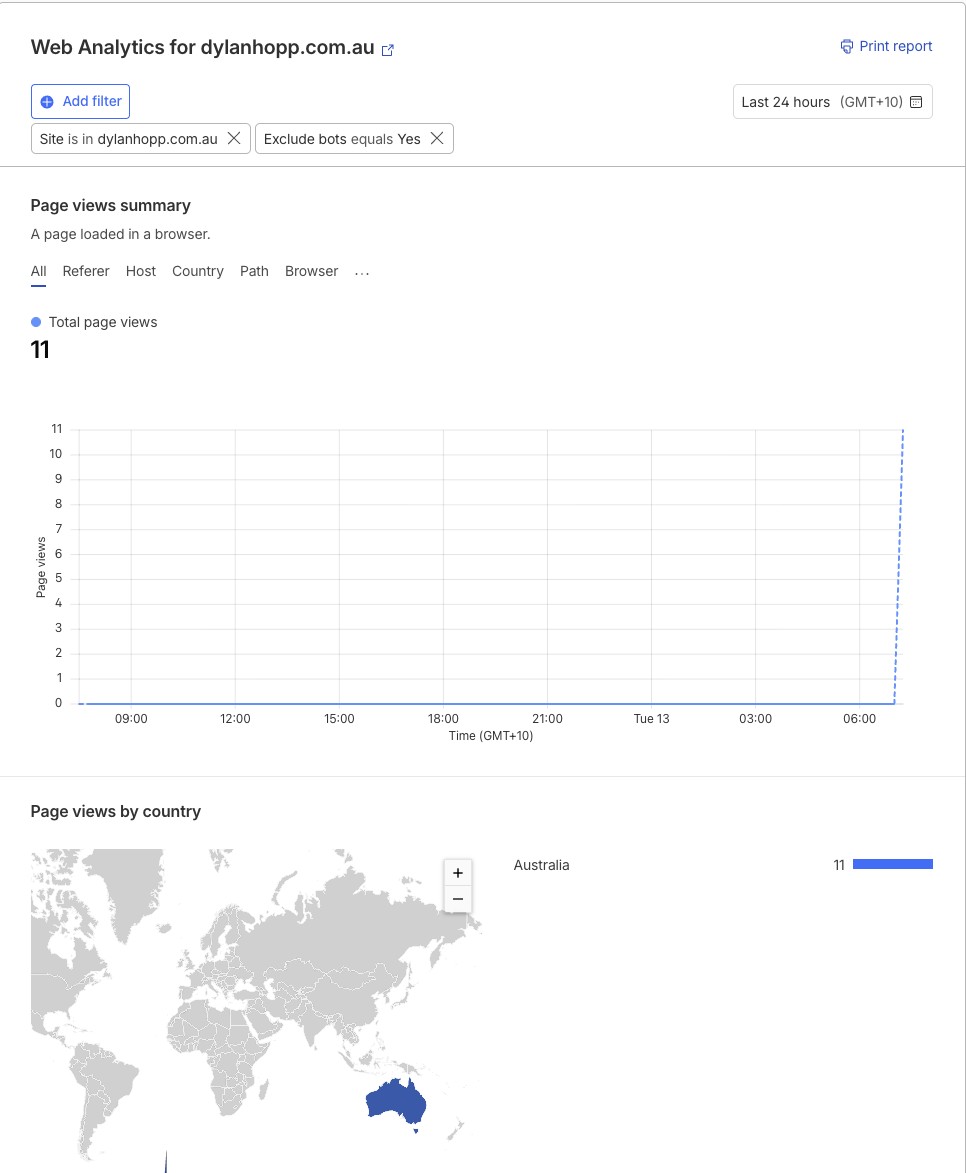
Cloudflare's version is free, it is one line of code on each page, and it doesn't use cookies or track individual people. It tells me what I actually need: how many visits, which page, where they came from and how fast the page loaded. Nothing about who. Because there are no cookies, there is no consent banner to add and nothing to explain in a privacy policy.
I handled the privacy work for a family app that under 18s will use. I can't run a tracker on my own site that I wouldn't accept on the app. That rule turned out to be a good filter for every tool decision, not just this one.
It's the same decision every business makes with software, usually without noticing. The default tool collects more than you need because it can, and the extra data becomes something you have to store, protect and answer for. Decide what you need to know, then pick the smallest thing that tells you.
Setting it up took about ten minutes. Create a free Cloudflare account. Go to Web Analytics and add your site's address. Choose the JavaScript snippet option, which works even if your domain and hosting are somewhere else, so nothing about your DNS or your host changes. Paste the one line it gives you before the closing body tag on every page. Publish. The first numbers show up within the hour.
What the dashboard shows: page views and visits over time, the pages people landed on, where they came from (search, LinkedIn, a direct link), the country, the device and browser, and the load time of each page. That is enough to answer the only questions I have. Is anyone reading, what are they reading, and did LinkedIn send them.
If you run a business website and someone set up Google Analytics for you years ago, it's worth asking what you actually look at. If the answer is visits and top pages, you can have that without the cookie banner.
Privacy isn't the policy document. It's the tool you chose not to install.
Happy to compare ideas.

General Manager, Brisbane. Builds with AI. More about me